
Endpoints in the baramundi Management Center and baramundi Remote Desk
If a baramundi Management Agent is also installed on an endpoint or if it is managed by the baramundi Management Suite, you have the option of
- opening it directly in our Management Center from baramundi Proactive Hub
- and connecting to the endpoint via baramundi Remote Desk.
This can be done via the three-dot menu in the endpoint overview tables or via the icon next to the endpoint name in its detail view:
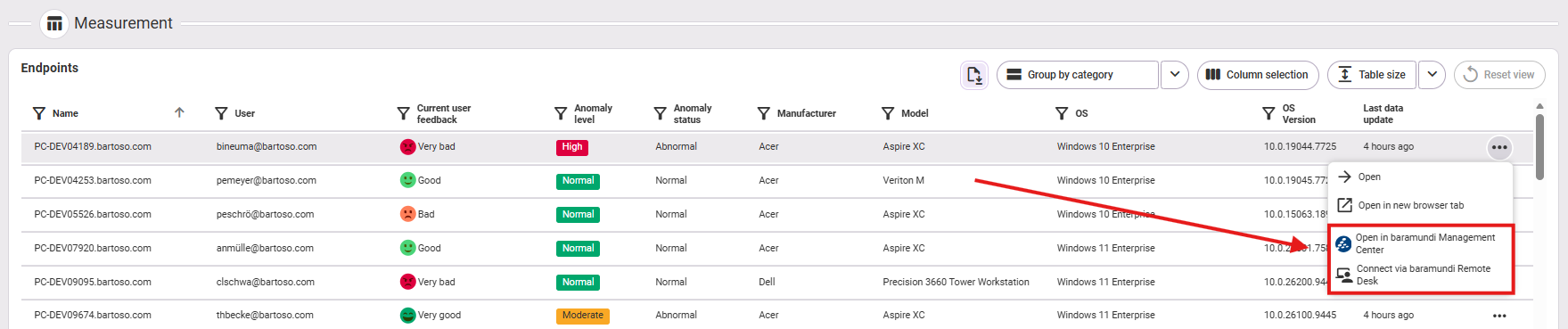

Clicking on the menu options opens a new browser tab. This launches the baramundi Management Center, if available on the system. If necessary, the user will be asked to give their consent and log in to the baramundi Management Center. If the baramundi Management Center is already running in the background, this instance is used to navigate to the corresponding endpoint and initialize the Remote Desk connection. If Remote Desk is not yet installed, the user can activate the feature in our Management Center. The connection is then established automatically.