
Managed applications
In the managed applications section, you can see the general application status of your endpoints.
Overview
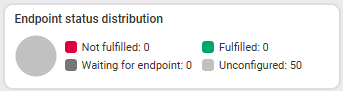
The overview provides a summary of the endpoint statuses for the managed applications. An endpoint is marked as “Not Met” as soon as the target state for at least one application is “Not fulfilled.”
Measurement
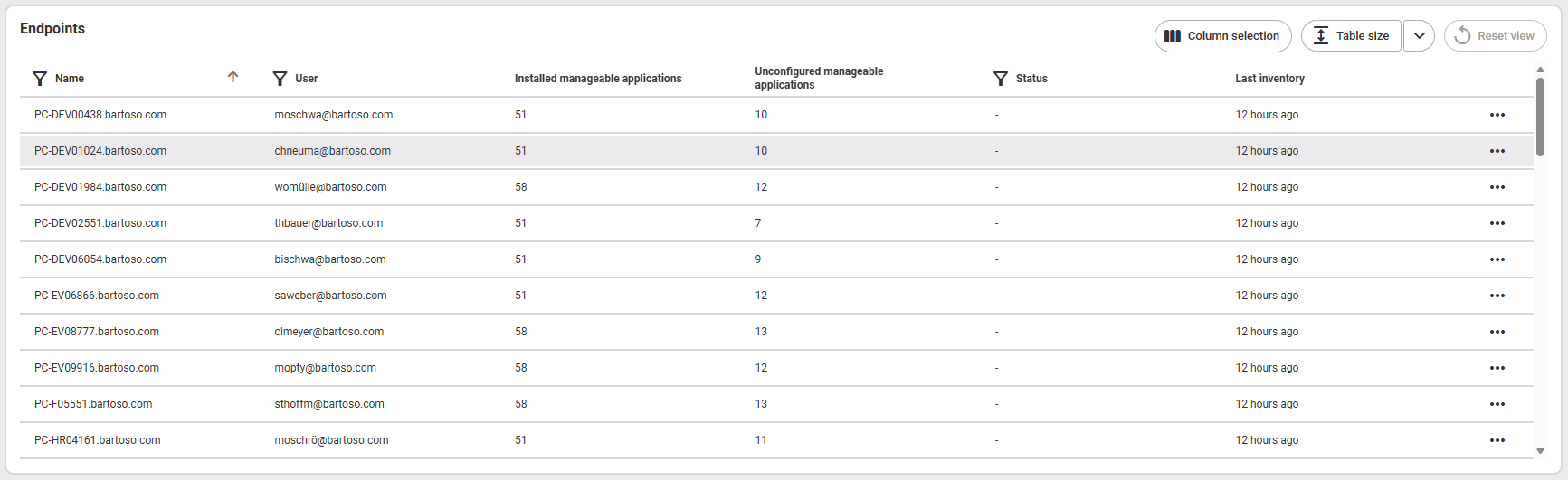
In the Measurement section, you can see a list of all the endpoints available in the selected environment. The endpoints are sorted by name by default. Here you'll find an explanation of the table functions.
- Name (of the endpoint)
- User (of the endpoint): only available if the active user has the required permissions
- Installed manageable applications: number of applications installed on the endpoint and managed by baramundi Proactive Hub
- Unconfigured manageable applications: number of applications on the endpoint for which no target state is defined and accordingly no configured action is performed (e.g. an automatic update); These applications may be out of date and are highlighted for this reason.
- Status: The status indicates that at least one of the applications installed on the endpoint has one of the following statuses:
If the packages on a given endpoint have different statuses, they are aggregated and displayed in the order listed here, sorted by the highest existing priority. - Waiting for Endpoint: Implementation will take place within the next 12 hours, provided the endpoint is reachable.
- Fulfilled
- Not Fulfilled
- Last inventory: time at which the last application inventory was carried out locally on the endpoint
Last updated: 10/13/26, 1:13 PM