
Deployment and installation using the baramundi Management Suite
The baramundi Proactive Agent is included as a pre-packaged application in baramundi Managed Software (MSW).
Before the agent can be distributed as usual using a job, you must first store the enrollment token of the Proactive Hub environment as a configurable parameter in the baramundi Management Center. To do this, follow these steps:
1. Navigate to the software
In the baramundi Management Center, navigate to Software > Managed Software > Products > baramundi Proactive Hub > Proactive Agent > and there to the General tab.
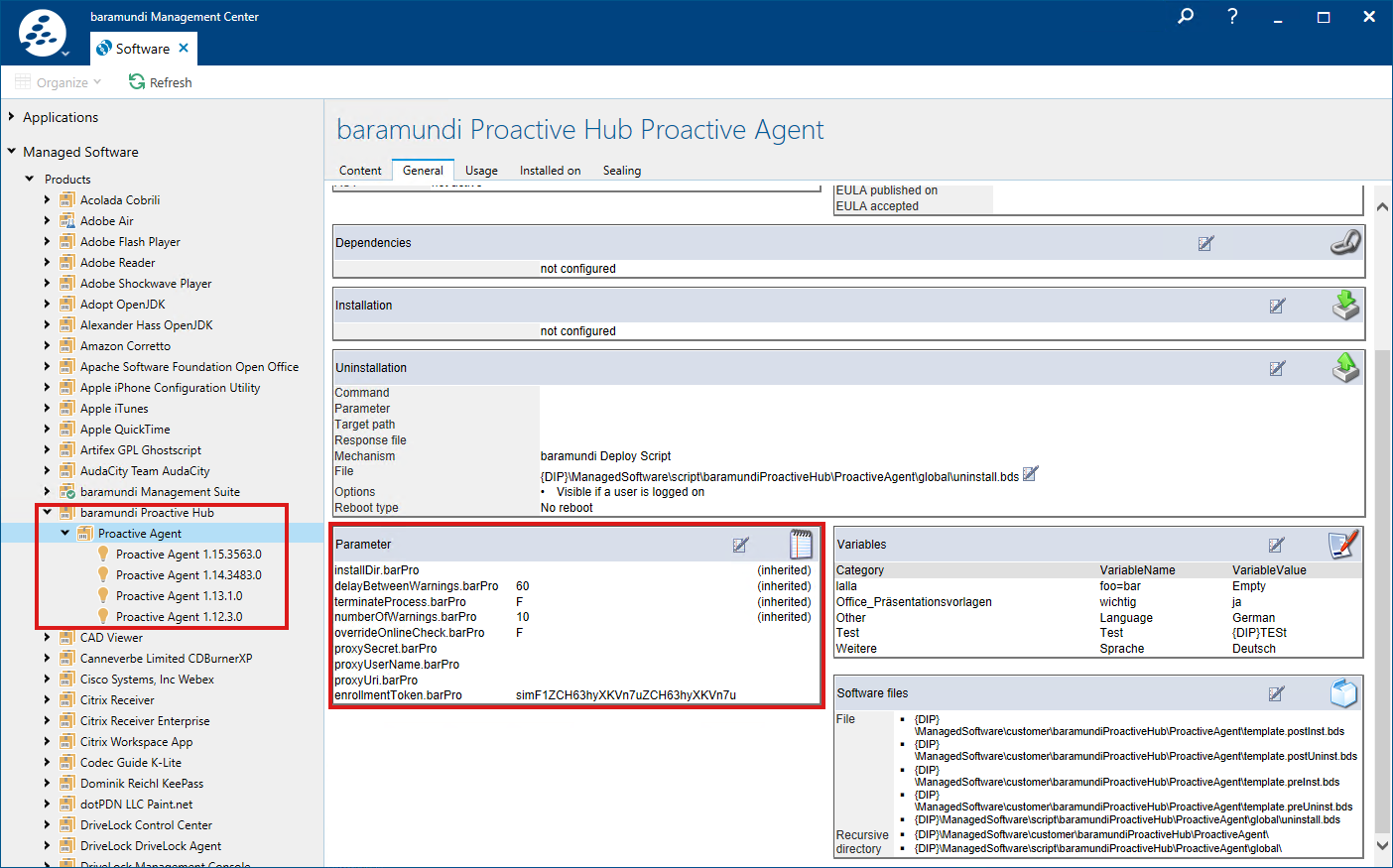
2. Configurable parameters
Scroll down to the Parameters section and click Edit. In the window in the Configurable parameters tab, enter the character string of the token as the value for the enrollmentToken.barPro parameter. You can create or view the token using these instructions: Manage Endpoints.
Note:Note the correct specification of the token without „baramundiProactiveAgent.exe /exenoui /qn ENROLLMENTTOKEN“, for example eyJhbGciOiJIUzI1[...]eBdyuyHC0ME5d.
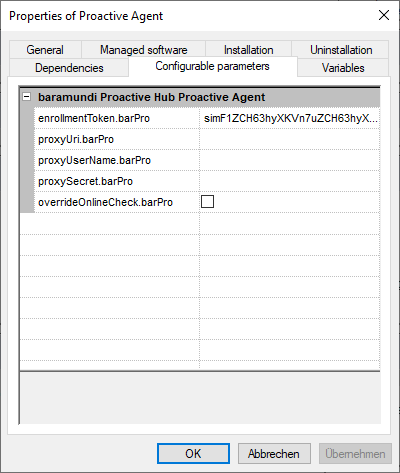
3. Proxy server
When using a proxy server, you must also specify the following four parameters.
You can find more information on this topic here: KB106948 - Installation, Repair, and Uninstallation of the baramundi Proactive Agent.
- PROXYURI
- PROXYUSERNAME
- PROXYSECRET
- OVERRIDE_INTERNET_CHECK