
Multi-factor authentication
With multi-factor authentication (MFA), you can enhance the security of user accounts by adding an extra authentication step to the login process.
Using multi-factor authentication (MFA), you have the option of protecting your user accounts even better against attackers.
To do this, navigate to Administration and then to User management. Select the company for which you want to activate MFA.
Note
Multi-factor authentication is activated by default for new customers. We recommend that all existing customers also activate MFA for their companies.
Activate MFA
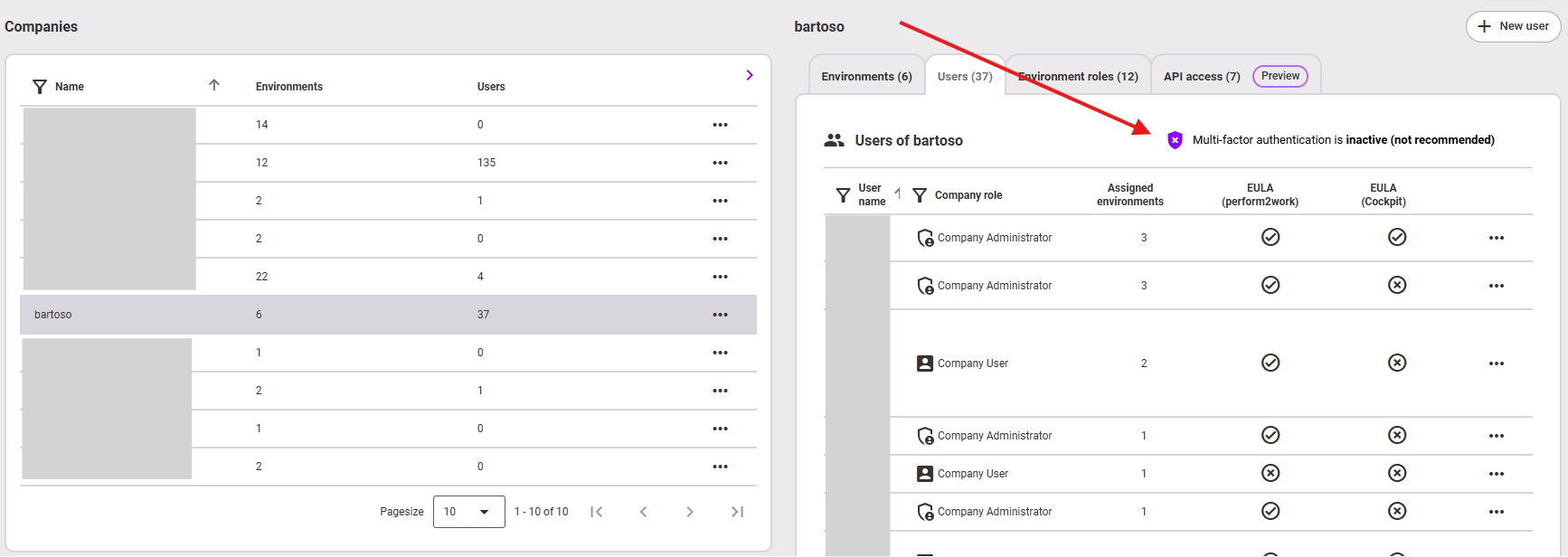
The function for activating MFA can be found in all your companies under the User tab.
Information
Just as you activate the MFA, you also have the option of deactivating the function (see next steps). However, this is not recommended for security reasons!
- Click on Multi-factor authentication is inactive to activate it.
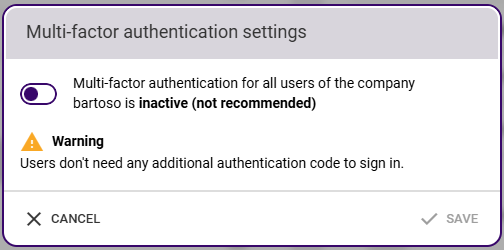
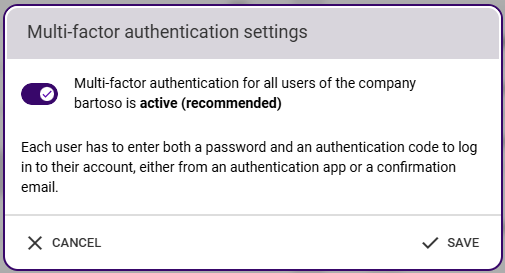
- Activate MFA in the dialog box using the switch and confirm with Save.
- The MFA is then activated for all users in this company.
Setting up the MFA by the user
After the MFA has been activated, it must be set up by the user.
- The next time the user logs in, they will see the following prompt:
- The user chooses an option for themselves: authentication via an Authenticator app or via email. The authentication selection then applies until it is reset by the administrator for this user (see below).
- Authenticator app: A corresponding app must be available on the user's mobile device. The user scans the QR code displayed via the app and can then authenticate themselves via the app.
- Email: The user enters their email address and then receives a verification code by email.
- Authenticator app: A corresponding app must be available on the user's mobile device. The user scans the QR code displayed via the app and can then authenticate themselves via the app.
Resetting the MFA
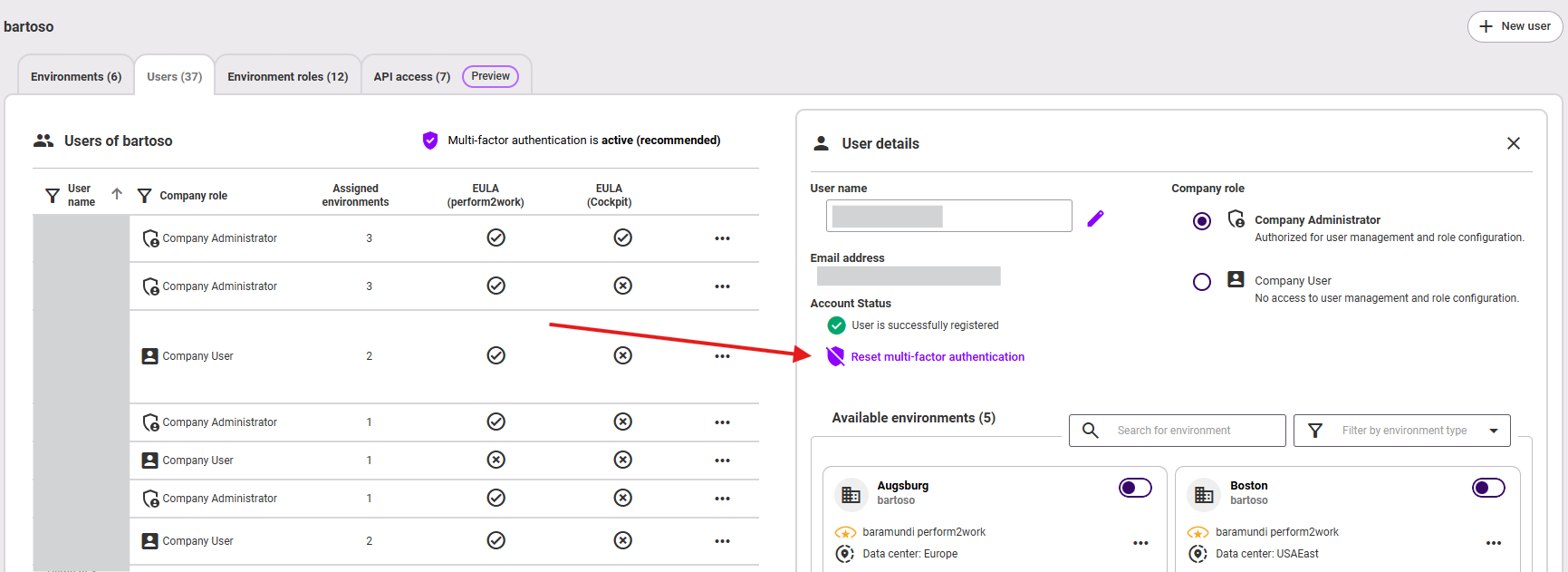
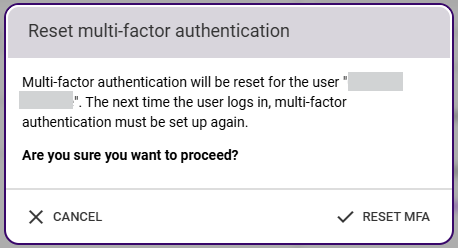
The environment administrator has the option of resetting the MFA for individual users, for example in the event of a device loss or if the email address changes. This means that the MFA must be set up again on this device (for this user). The function for this can be found directly on the user in the administration:
Last updated: 10/18/26, 12:15 PM